Wednesday, January 07, 2009

Forget Vista and Zune flaws, Apple products impose 'tax'

When your OS market share is falling to a superior product (because your fallible copycat product--Vista--doesn't work), it's time to pull out the big guns and slam the competition. Here's the scoop: Do Macs cost more than PCs? Yes. Are they worth the price difference? YES, YES, YES. I just retired a G4 after 8 years of faithful service. How many PC users can say that?

By the time a PC user buys add-ons, security software, upgrades, downgrades to XP, and wastes hours troubleshooting the most banal OS issues that Mac users never confront, I assert that they've SPENT MORE than a Mac user! Clearly, the Mac is the better deal, in the long run, and it's just a better product. Otherwise, why would Microsoft keep copying--albeit poorly--EVERYTHING Apple does?

Microsoft again pitted Mac prices against similarly-configured Windows PCs from the likes of Dell and Hewlett-Packard.

Not surprisingly, Microsoft's comparisons put Apple's hardware at a disadvantage, with the "tax" ranging from 16 per cent, or $100, for the entry-level Mac mini to 25 per cent, or $300, for the lowest-priced iMac desktop.

Microsoft also played the recession card as it knocked Apple's prices. "We're in the midst of difficult economic times - declining retail sales and lower consumer confidence," a Microsoft spokeswoman said. "People are...demanding more substance with their style in a computer. They simply do not have the luxury of spending more for less.”

"Windows PCs are offering the best value on the market," she argued, "while Apple continues to impose high price premiums on their Mac designs, offering only modest discounts of 5 to 10 per cent."

[From Microsoft bangs 'Apple tax' drum once again as Apple announce new products - Mac - Macworld UK]

Maybe this is Microsuck's attempt to make you forget about their crappy OSX copy called Vista (since the Mojave campaign isn't working), or maybe they're trying to make you forget that the Zune recently stopped working because of bad programming.

Here’s the deal. Microsoft botched the code in the firmware for its Zune30GB handheld players. Like a ticking time bomb, the problem started exploding for Zune owners once 2008 started transitioning into 2009. Users worldwide quickly found that their Zunes were completely locked out. Locked out as in "completely inoperable," that is: Zunes began resetting without warning or completely turning off. When a user flipped the power back on, the Zune operating system would begin to load and freeze on the actual loading screen. And no amount of begging, pleading, or cursing could fix the issue for a hapless user.Microsoft was quick on the "solution," which I’ve paraphrased thusly: Wait it out.

[From ZuneGate ’08: What really happened | Macworld]

Monday, January 05, 2009

Silent Keynote Exports

If your Keynote exports are all fury and no sound, follow the instructions below to fix them.

After recording your narration, move to the Finder, Control-click on your presentation file, and choose Show Package Contents. In the resulting window, locate the narrationTrack0.m4a file. This is your narration track. Make a copy and move it to the Desktop.

Open both the narration and video files in QuickTime Player Pro. Select the audio track, select everything in it, and copy. Now select the video track and choose Edit -> Add to Movie. The audio track will be added to the video track.

With luck, the two will be in sync. If not, you might wish, instead, to import the video track into GarageBand and then place the audio track in a separate track and move it around so the two are in sync.
[From A fix for mute Keynote exports | Mac 911 | Macworld]

Thursday, January 01, 2009

Leap-year bug kills Zune

To quote Star Wars: Now Ballmer's failure is complete.

December 31, 2008 (IDG News Service) Microsoft's Zune 30GB music player just wasn't ready for a leap year.

That's what owners of the devices discovered Wednesday morning when they awoke to find their players frozen and unworkable.

The problem turned out to be "a bug in the internal clock driver related to the way the device handles a leap year," Microsoft Zune spokesman Matt Akers said in a posting to Zune forums Wednesday. The issue does not affect all Zune players, but all models of the Zune 30GB are potentially affected, he said.

Zune is Microsoft's alternative to Apple's popular iPod devices.

The bug disabled the players on Dec. 31, the last day of a leap year. Microsoft expects that the bug will resolve itself by Jan. 1, when the device's internal clock will reset itself.   [From Zune chokes on leap-year bug]

Friday, December 26, 2008

Preview app: Print non-contiguous pages


PreviewPrint non-contiguous pages in Leopard’s Preview | Mac OS X Hints | Macworld:

Open your multi-page PDF in Preview, hold down the Command key, and click on each page you’d like to print. With more than one page selected, the File -> Print menu item changes to read File -> Print Select Pages. Choose that, or just press Command-P, and you’ll print the selected pages.

Wednesday, December 24, 2008

Mighty Mouse scrolling problems and fix

Mighty-MouseI have this problem too, except my mouse usually has trouble scrolling back up. Pressing down hard on the little scroll ball and swirling it around usually fixes the problem. Apparently, using canned air occasionally can help quite a bit too.
Apple Mighty Mouse Won’t Scroll Down at Josh Bancroft’s TinyScreenfuls.com:

Well, it turns out, when the Mighty Mouse scroll wheel gets dirty, it stops being able to scroll down. Apparently, it’s a common problem, as a quick Google search turned up tons of pages, like this one at MacOSXHints.com.

The fix? Blow compressed air around the scroll ball, or just push on it really hard and roll it around (that worked for me). If you’re lucky (I was), it will start working again. If it keeps doing it, though, I’m going to have Apple replace it.

Tuesday, December 23, 2008

Be careful out there, Mac users


There's a way around everything. The best thing you can do is to use multiple layers of software and physical security. Make it hard on your would-be thief in every way possible.

Use an Open Firmware Password (yes, I know how that can also be defeated). Use a physical lock on your Apple laptop. Use iSight or some other security software to track your computer BEFORE its data is erased (I'd wager few thieves will understand the Mac the way they do PCs). When you're out and about, turn on every security gizmo in your Mac that you can--screensaver password, disable auto-login, enable timed logout, lock your keychains, etc., etc. Use a firewall when you're not behind a router.

In short, protect your data first and your machine second. Make your Mac a less delectable target.

Reset OS X Password Without an OS X CD | TheAppleBlog:

To reset your OS X password without an OS X CD you need to enter terminal and create a new admin account:

Reboot
Hold apple + s down after you hear the chime.
When you get text prompt enter in these terminal commands to create a brand new admin account (hitting return after each line):
  • mount -uw /
  • rm /var/db/.AppleSetupDone
  • shutdown -h now
After rebooting you should have a brand new admin account. When you login as the new admin you can simply delete the old one and you’re good to go again!

Sunday, December 21, 2008

User accounts and file sharing in Leopard

Computerworld - User accounts and file sharing in Leopard: What's new:

NetInfo is no more, and you can now create groups and share any folder on your Mac.

Apple has made some major improvements in Leopard when it comes to creating and managing user accounts, file sharing and remote access. The biggest change, though, is something most Macintosh users may never see because it was accomplished so seamlessly: Apple has retired the proprietary NetInfo database that has stored and managed local accounts since the beginning of Mac OS X.

Make your own fun banner in Terminal

5 Ways to Use the Terminal in OS X, from Useful to Just Fun:


Just type banner followed by a phrase of your choosing to create a huge text banner. For example, banner Welcome to Low End Mac will create a banner out of the phrase "Welcome to Low End Mac."

It's pretty neat to watch it flow across the screen, but you can actually make a printable version.

First let's change directories to your Desktop:

cd ~/Desktop/

Then create a new blank file called banner.txt:

touch banner.txt

Now type your banner command, followed by > banner.txt:

banner Welcome to Low End Mac > banner.txt

The ">" directs the output of the previous command into the specified file. Double click the banner.txt file on your Desktop, and you'll see your printable banner in your default text editor.

Tuesday, December 16, 2008

Install and Boot OS X Using Thumb Drive


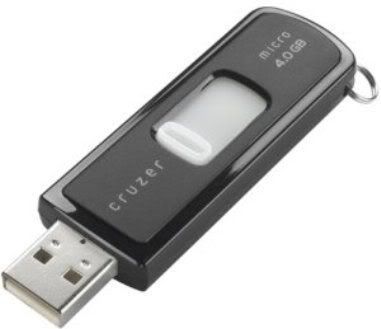
Flash-DriveThis can be a useful trick if you need to troubleshoot a Mac that just won't boot up. Also, be sure to check out the freeware DasBoot application, which can make a lot of this much easier to do. The key is to also include your favorite troubleshooting utilities on the thumb drive (e.g., DiskWarrior, Tech Tool Pro, etc.).

BradBergeron.com » HOWTO: Install and Boot OS X On a Flash Drive:

You will need a 1GB or larger flash drive. It is impossible to install OS X on anything smaller. After testing this procedure multiple times, the largest free space I had after booting up was 11.6MB.

You will also need the original Mac OS X Install Disc(s) that came with your computer.


Sunday, December 14, 2008

Spotlight can do more than you think


Spotlight128Quick math and quick photo location are just a few!

5 Things You Never Knew About Spotlight | TheAppleBlog:

You probably know that you can access Spotlight quickly with the Command-spacebar keyboard shortcut, but here are a few more tricks you might not know exist.

Empty iPhoto Trash, Regain Space


Make sure you empty your iPhoto application's trash every now and then!

iPhoto, the secret disk space thief | MacUser | Macworld


Monday, November 24, 2008

Ballmer: Vista will run on your Granny's PC!

Okay, I'm stretching it with that entry title. But you can see in this article that the doof, Ballmer, appears to be trying to market Vista to certain unsuspecting users, knowing it won't work for a lot of their systems.

Steve Ballmer Must Testify In 'Vista Capable' Suit -- InformationWeek:

Consumers Dianne Kelley and Kenneth Hansen sued Microsoft for consumer fraud last year. They contend that Microsoft intentionally duped customers by advertising as "Vista Capable" computers that lacked the horsepower to fully support all of Vista's features, such as its 3-D Aero interface. A judge earlier this year granted the case class-action status.

In requesting Ballmer's testimony, the plaintiffs entered into evidence e-mails -- unsealed by the court last week -- in which Ballmer appears to have been informed of changes to the Vista Capable definition that allowed inclusion of an underpowered Intel (NSDQ: INTC) graphics chipset.


Sunday, November 23, 2008

Office 2008 Update Problems

Microsoft continues to have issues with its Office 2008 updates. Don't use Monolingual until they can sort this out!

Office 2008 12.1.2 (#2): More fixes for problems installing; Word bugs - MacFixIt:

Users continue to report issues with installing Office 2008 12.1.2. MacFixIt reader David Badovinac has discovered a somewhat kludgy fix, as follows:
Download the standalone Office 2008 12.1.2 updater
Mount the disk image then control-click the updater file and select "Show Package Contents"
Navigate to Contents -> Resources
Open the script "package_updatable" with TextEdit or another plain text editor.
Remove these lines:
  • if not found_valid_version:
  • sys.exit(48)
Save the file then close it and reattempt the update.

Saturday, November 15, 2008

Changing the login background


Neat for when you get tired of looking at the same ol' image.

macosxhints.com - 10.5: Change login panel background:

While attempting to get rid of the gaudy pink and purple Aurora login picture, I found that it is no longer enough to simply rename your picture of choice to Aurora.jpg and drop it in Desktop Pictures a la Aqua.jpg in previous releases.

To change the picture behind the login panel in 10.5, one must name the picture of choice DefaultDesktop.jpg, and drop it in to /System » Library » CoreServices. Doing this as the admin user is required for authentication purposes.

[robg adds: It's the simple things that can make using one's OS of choice more pleasant :). I used Terminal to create a backup of the original image first, just in case. After cding to the CoreServices directory, I then did sudo mv DefaultDesktop.jpg DefaultDesktop_old.jpg, then moved my new image in.]


Sunday, November 09, 2008

Ballmer: Google Android no competition


We all know that Steve Ballmer emanates endless assertions of accuracy, such as when he said here that the iPhone was-a nuthin'. And we can also see how M$ failed to recognize Google as a threat in other ways, such as searching.

Let's hope Ballmer continues as CEO of M$, so that he continues screwing up...like he did with Vista.

Ballmer doesn’t see Google Android as competitor yet | Macworld:

Google’s Android mobile platform doesn’t “bubble up to the top” of Microsoft’s list of toughest competitors to Windows Mobile in the market for smartphone OSes, Microsoft CEO Steve Ballmer said this week.
Speaking at an investor day hosted by Australian telecommunications carrier Telstra on Thursday, Ballmer said that it’s too early to tell if Android will ever be a serious competitor in the mobile market, where others have already marked considerable territory.

Wednesday, November 05, 2008

Powerbook Memory Slot Suit

It has finally happened! Please see my previous posts here and here on this exact problem and Apple's lack of assistance. I'm jumping onboard this lawsuit as soon as it gets class-action status. Why doesn't Apple just fix crap that they screw up? Seems like it would be a lot cheaper.

Apple faces lawsuit over defective PowerBooks | Macworld:

Editor’s Note: This story is excerpted from Computerworld. For more Mac coverage, visit Computerworld’s Macintosh Knowledge Center.

A New York man has sued Apple in federal court over flaws in the PowerBook G4 and has asked the judge to grant the case class-action status.

In a lawsuit filed last week in federal court in San Jose, Calif.,, Giorgio Gomelsky accused Apple of refusing to repair his PowerBook G4 notebook, which he said has a defective memory slot that has prevented him from adding more memory to speed up the system.

Apple’s refusal, Gomelsky charged, was particularly galling because the company had previously acknowledged problems with PowerBook G4 memory slots and had set up a free-of-charge repair program for a limited number of systems.


Sunday, November 02, 2008

Netflix opens 'Watch Instantly' for Macs

Finally, though we've considered dropping this service. This is a beta test for which you'll have to opt-in. To do so, following this link:

Opt-in for Silverlight Movie Player Beta

Get the Silverlight Plug-in here.

Netflix opens 'Watch Instantly' to Mac owners who opt-in - Engadget:

Mac owners who have been waiting for Netflix to open up the 'Watch Instantly' option just got a little something to light up their day -- the service is now available to the public; or at least members of the public who opt in via a web form. It's all based on Microsoft's Silverlight, so you'll need to download and install the plugin for your web browser, but please mind the six device limit if you've got a small cadre of 'Watch Instantly' devices in use. So if you can live with the fact that Microsoft tech is the lynchpin to your Mac streaming enjoyment, hustle on over and sign yourselves up for that non-HD, but ample selection of streaming content.

Hack Google, download an mp3

LogoLooking to download an mp3 from your CD collection (ahem)? Don't want to use BitTorrent for fear of the RIAA busting down your front door? Use Google! Of course, don't forget about seeqpod.com either!

HACKING GOOGLE: TURNING A SEARCH ENGINE INTO AN MP3 DOWNLOADER

Copy / Paste the code below into your Google search box:
-inurl:(htm|html|php) intitle:"index of" +"last modified" +"parent directory" +description +size +(wma|mp3) "<BANDNAME/SONG>"

FireWire-to-USB for new MacBook?

Though not yet supported on OSX, this (or a product like it) could help assuage the angry Apple hoard, upset over Apple's decision to nix FireWire from the latest MacBooks. You guessed it...you'll have to buy it, even if it does happen, and don't expect true FireWire sustained speeds either.

FireWire-to-USB: MacBook Redeemer? | TheAppleBlog:

Apple’s decision to axe FireWire from the MacBook line is not sitting well with many users, to say the least. For high-quality audio and video transfers, FireWire is the standard for professionals and hobbyists alike. Though USB is technically capable of faster transfer speeds than FireWire 400 (480 Mb/s vs. 400), FireWire has greater effective speed and power distribution because it doesn’t depend on a computer host port.

Saturday, November 01, 2008

Order cheap prints online and pick-up local

Need to make some quick prints of your latest photo masterpiece? Just order through snapfish and pick them up at Walgreens. Of course, Apple finally got smart and lowered their stinking prices, so they are now competitive too.

How to print digital photos cheap at ProBargainHunter.com:

How much do you pay for printing your digital photos? If the price is more than $0.07 for a 4"x6" glossy print then you pay too much. Here is a list of web sites that I used in the past with very competitive pricing and good service. In addition at the end there is a table with pricing stats on other alternatives.

***


If you are in a hurry then Snapfish is the right service for you. You can order your prints online and pick them up at any local Walgreens store in your area (expect to pay a sales tax if you do so). Besides Snapfish often runs promotions of different kind which is why I happen to use them a lot. I suggest you to check current Snapfish deals before ordering your prints.

Snapfish pricing might not be as good as the other two services but it is still very competitive: 4"x6" - $0.12, 5"x7" - $0.79 to $0.39 (based on quantity), 8"x10" - $2.99. Shipping in the US is from $0.99 and up. Make sure to check their pre-paid printing plan. If you sign up the price for 4"x6" prints will come down to $0.10. More pricing details here.