Showing posts with label sync. Show all posts

Sunday, August 28, 2011

OS X Lion: Syncing Contacts with iPhone

I guess you're thinking that this will be another commentary on OS X Lion's really ugly, new Address Book interface (along the lines of Lion's equally ugly, new iCal interface). No, it won't be that, although I am among those who don't like the change to the faux leather look (a GUI design idea that went stale about 10 years ago).

I'm talking about the Address Book's internal changes that costed me HOURS of work to get things functioning normally again…specifically, syncing information to my iPhone.

Here's the story: I thought I would be smart about my Lion upgrade. First, I waited until version 10.7.1 to go for it. Then, I ordered a brand new 1TB hard drive to install in my Mac Pro. I used Onyx to really clean up my Snow Leopard install, and then I proceeded to use Carbon Copy Cloner to clone my SL drive to the new 1 TB drive. Now I was ready to upgrade that new drive to Lion, keeping my original SL drive as a backup. Smart, huh? But Apple would get the last laugh.

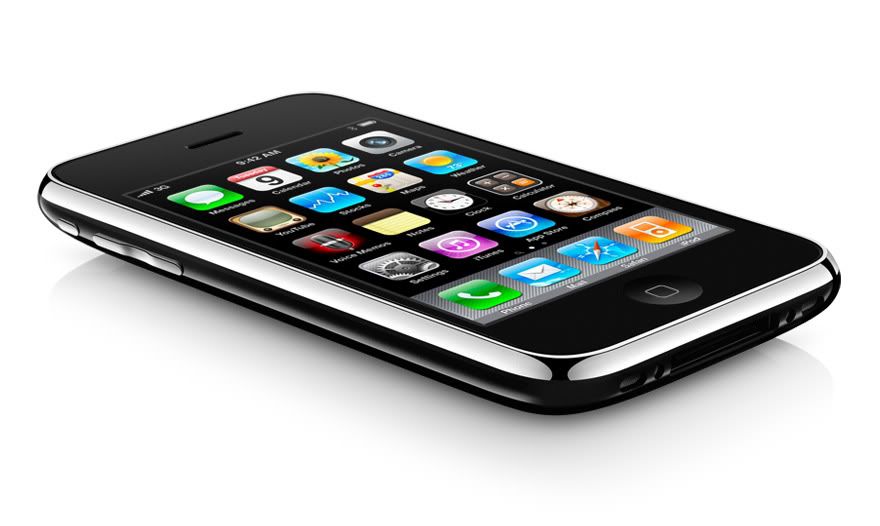
I upgraded as described and everything seemed great! I love Lion's new zippiness and several of the features (though Launchpad is fairly useless for me). Then, I plugged my iPhone 3GS into the dock and synced normally with iTunes. A first glance and everything seemed fine. Wrong! I received a text message from my wife and noticed that it had her number listed instead of her name. What was this? I looked through my Contacts on the iPhone and noticed that NO CONTACTS HAD PHONE NUMBERS!!! All the other information was there: addresses, emails, notes. Just not the most important bit needed in a phone--the damn phone numbers!!!! A glance through the Address Book on the Mac showed that all the phone numbers were still there. They just wouldn't sync.

I tried all the usual troubleshooting stuff, to no avail. Realizing that my issue had something to do with syncing, I followed Apple's own guidance for advanced syncing issues. All of these steps did not help, initially, because they failed to take into account the iPhone itself. I also tried iTunes and replacing all the contacts on the iPhone, which also did not fix the issue…still no numbers. I even posted on Apple's community web site for help and got no takers. So, I went back to Apple's advanced syncing troubleshooting article and went about it from a different angle. As I touched on earlier, they never really brought the phone into the discussion much, other than saying sync normally after the troubleshooting steps.

Thinking I had an epiphany, I toyed with Address Book preferences--specifically the phone number format (which is a bit buggy at the moment); that was also ineffective. So, I decided to backup my Address Book into an archive, copy a vCard for all my contacts and groups, and then delete everything to do with Address Book from my Mac except the application--just as the article describes (remove caches, Application Support folder, and preferences). The difference is that--after doing all those steps--I also synced the phone and made sure that all my contacts were deleted from the Contacts app. I now had a virgin Address Book and a virgin Contacts app on the iPhone. From here, I reimported my contacts using the vCard into Address Book. Apple's instructions for recreating groups did NOT work; maybe it worked before Lion, but not now (this was really frustrating…trying to easily recreate groups as they described resulted in a huge amount of wasted effort, with groups that appeared reconstituted but with contacts that disappeared after restarting Address Book). So, I had to manually recreate my groups, which took HOURS (as I said). I used Quick Look to help me do this; highlighting a vCard in the Finder and pressing spacebar gives you a look at all the contacts inside each group. Then it's just a matter of searching for them in Address Book and then adding them to the recreated group. A huge waste of time!

I also need to add that I used my Address Book with Dropbox, but moving my Application Support folder back to the Library did not fix the issue either. Dropbox was not the culprit.

I imagine it's related to the coming iCloud and the changes required for syncing to that medium, but who knows. Ironic that the most important bit of information on a phone--the numbers--were omitted from the syncing process, leaving me with an essentially useless phone.

Sunday, January 03, 2010

1Password KeyChain Syncing Issue With Dropbox

Here was my solution when I discovered resent changes to my keychain weren't being updated:

I was having difficulty with my agilekeychain not syncing the latest data changes. It's not a problem with Dropbox. Open 1Password>Preferences>Advanced and then Clear Cache. Uncheck using cache to prevent this from happening again (or simply remember to clear the cache).

[From 1password AgileKeyChain is not syncing « Dropbox Forums]

Sunday, September 06, 2009

Why MobileMe ISN'T Worth It

Once upon a time, MobileMe was called ".Mac" (pronounced dot-mac). I bought this service for one year, and though it was cool having an exclusive email address like shane@mac.com, there wasn't much else that justified the $100 I paid. For one (then and now), the storage space was too minimal (you can get free space using DropBox that's the equivalent of MobileMe's paid space). For the same $100 a year, I have a business-level web hosting account with ixweb.

The real deal-breaker for me with MobileMe was the syncing between computers, which NEVER WORKED. My understanding is that it still doesn't work right. The iPhone now makes that irrelevant for me. If you don't have an iPhone then a normal cellular phone or Google probably makes that irrelevant for you too.

It's true that the Find My iPhone feature is tempting, but if Apple was smart about this, they'd recognize that most features they're selling with MobileMe are available free online. They should sell just the Find My iPhone and Back to My Mac features for a cheaper cost; they'd make more money. I'd subscribe for those features, if the price was right.

“Is a MobileMe subscription worth the money?”

Umm… It’s complicated.

[From Why MobileMe is really worth it | Web Services | MacUser | Macworld]

Friday, August 07, 2009

iPhone Updating Same Songs Fix - UPDATED

The bottom contains the original post that I THOUGHT had fixed the problem; turns out that it didn't fix a thing. However, my frustration was apparently the frustration of many others, and the solution was forthcoming.

It turns out the culprit is jacked up ID3 tags. The solution is right in iTunes. Right-click on the offending files and select "Convert ID3 tags..." In the dialog, select the latest version of tags and then resync. Problem solved!

I updated the ID3 tags of my continuously re-synced 24 songs to the latest version 2.4 (you can do this in iTunes by right-clicking on the songs). It worked in 23 cases (1 song could not be updated as it is in .aac format because I had bought it in iTunes).

I must admit I didn't figure this out myself, this guy actually did it: http://www.kgarner.com/blog/archives/2009/07/15/itunes-keeps-syncing-the-same-44-songs-over-and-over-solved/

[From Apple - Support - Discussions - iTunes keeps syncing the same 4 songs ...]

::ORIGNAL POST:: (ignore this...it doesn't work)

This hasn't worked for everyone with this problem, but it did the trick for me. Once I reset Sync History, I stopped updating the same 20 songs from iTunes with each sync, which had been adding to the sync time and had ticked me off. All better now!

Thanks to Lynn at Apple Support

Basicall I had to reset the sync history. To do this:

Open iSync in applications
Menu item iSync / Preferences
Select Reset Sync History

The next time I sync'd my iphone it worked flawlessly (and didn't reload all my content, which I thought it might do).

[From why is my iphone "updating files"? - Mac Forums]

Thursday, March 22, 2007

So long dot Mac!

Well, I'm outta here! It was a $99 payment one year ago to Apple that established me as a .Mac member; it had lots of promise: it was going to sync everything perfectly--no more clutter. It was to be my online portal to the world, hosting websites, pictures, movies. etc. It didn't live up to the hype, however. I had a bunch of problems initially.

And for less than the same price, I just bought a web hosting plan that gives me 400 GB of storage, 8 domains, 3 domain names, 2500 GB of monthly transfer, mega-email accounts, etc., etc., which so far is very fast at web hosting compared to .Mac:

ixwebhosting!

That same $100 bought me a whopping, underwhelming, and pathetic 1 GB of annual storage with .Mac with a max transfer of 10 GB/month, and that includes your email account! Google's Gmail gives you 2 GB for free, and many other online outfits are just as generous!

With Apple, you're paying for the brand; it's a lot like buying a Rolls-Royce over a pick-up truck. And I'm the first to tout Apple's products, because I love almost everything they've dreamed up. However, .Mac is sick and needs to die; I can't believe it's still alive. They're going to need to overhaul it if they want it to hang around, but I suppose there are some users out there not willing to dig deeper to save money.

One redeeming .Mac feature (that wouldn't work for me initially) is the syncing of all your data between two or more Macs. There are ways around this if you're careful; Apple even gives some clues here on how you can do it.

And a $50 commercial app called SyncTogether does most of what .Mac syncing can do, except for keychains (you'll have to be careful and do these manually).

It's been real, and it's been fun...but it has sucked!


Thursday, November 02, 2006

Nix Yojimbo: Journler plus Keychain Access

Yojim-blows:

I tried to make Yojimbo work for me, but there were just too many problems with .Mac syncing. So, I moved all passwords and secure notes to Keychain Access that comes with OS X. I started a new keychain to store my stuff, and it syncs perfectly with .Mac since Tiger.

For everything else (i.e., PDFs, notes, scribbles, pictures, etc.), I went with Journler...a great, free (donation-ware) application that can also be used for your blogging needs in many instances. I gave the developer $10 for his work--very much worth every penny. It still has some problems, bugs, glitches, and quirks, but it's hard to beat the price.

Now, Journler has no .Mac syncing function. However, it's easy to use an Applescript or syncing application to keep your Journler items synced between computers, and it has a lot of features that Yojim-blow lacks. I'm sure the developer will add .Mac syncing later.

Wednesday, August 02, 2006

.Mac outages

MacNN | Apple's .Mac outages anger users:

Apple's .Mac suite of internet/Web services has been suffering several outages recently, and some users have began to lash out against Apple. According to CNET News.com, users are claiming these outages are unacceptable"

Follow up on my own .Mac syncing problems as of 8/2/06:

With the release of OS 10.4.7, my .Mac syncing woes mostly went away. Bookmarks finally started syncing as intended--about 5 months after I joined and paid for dotmac. Apple graciously granted me extra iDisk space in return for my trouble, which I accepted. However, every now and then something will stop syncing and I'll have to do a reset to get it back. It's not perfect, but I'm happier than when I started with my paid service. As you can see by the article above, I haven't been the only one upset with Apple over dotmac.

Friday, May 05, 2006

.Mac Woes

I just purchased my first .Mac membership. The marketing all sounds great, but it has some problems.

1. Mail continues to show up in my “Draft” mailbox after I’ve already sent it. Very weird.
2. My bookmarks won’t sync no matter what. I’m stuck with the default Apple bookmarks that come with Safari. Everything else seems to sync okay.
3. Using iDisk through the Finder is impossibly slow. Don’t even try it. Get Transmit instead.

I’m hoping to get most of the functionality I paid for soon.