Showing posts with label snow leopard. Show all posts

Monday, May 31, 2010

mDNSResponder Constantly Doing "Something"

I noticed my mDNSResponder connecting constantly to opendns (didn't always happen but when it did it was constant). Found the links below. It basically requires a bit of under-the-hood tweaking.

  1. Make a back up copy of the mDNSResponder.plist file as a precaution.
  2. Open the mDNSResponder.plist file in Terminal using your preferred text editor. Here is a sample command:
    sudo nano "/System/Library/LaunchDaemons/com.apple.mDNSResponder.plist" 
    
  3. Add "<string>-NoMulticastAdvertisements</string>" to the array in the "ProgramArguments" section.

    In other words:
      <key>ProgramArguments</key>
    <array>
    <string>/usr/sbin/mDNSResponder</string>
    <string>-launchd</string>
    </array>
    becomes...
            <key>ProgramArguments</key>
    <array>
    <string>/usr/sbin/mDNSResponder</string>
    <string>-launchd</string>
    <string>-NoMulticastAdvertisements</string> </array>
  1. Save the file.

    Important
    : If you edited the file using emacs, you must remove the emacs backup file (the file with a tilde at the end of the name, "/System/Library/LaunchDaemons/com.apple.mDNSResponder.plist~") or your Mac will not start up.
  2. Restart your Mac.

****

UPDATE 12 June 2010: The problem, as it turns out, was listing my OpenDNS servers in both my Airport Extreme (for the entire home network) and my Mac Pro. As soon as I deleted the OpenDNS servers from Network Preferences on my Mac Pro, everything returned to normal...no more constant outgoing connections. The above method worked too, but it was at the cost of losing Bonjour connectivity on my home network (not acceptable).

[From Snow Leopard disabling mDNSResponder/Bonjour drops internet - Mac Forums]

Mac OS X v10.6 uses the mDNSResponder process for unicast DNS (Domain Name System) functions, as well as Bonjour functions. Disabling the mDNSResponder process will also disable unicast DNS resolution, and without unicast DNS resolution, Mac OS X v10.6 cannot resolve hostnames such as www.apple.com.

In some network environments, administrators may prefer that Mac OS X v10.6 not transmit Bonjour service advertisements. You can use this advanced article if you are a network administrator who needs to disable Bonjour advertising service without disabling Bonjour queries and DNS.

[From Mac OS X v10.6: Disabling mDNSResponder will disable DNS]

Friday, December 25, 2009

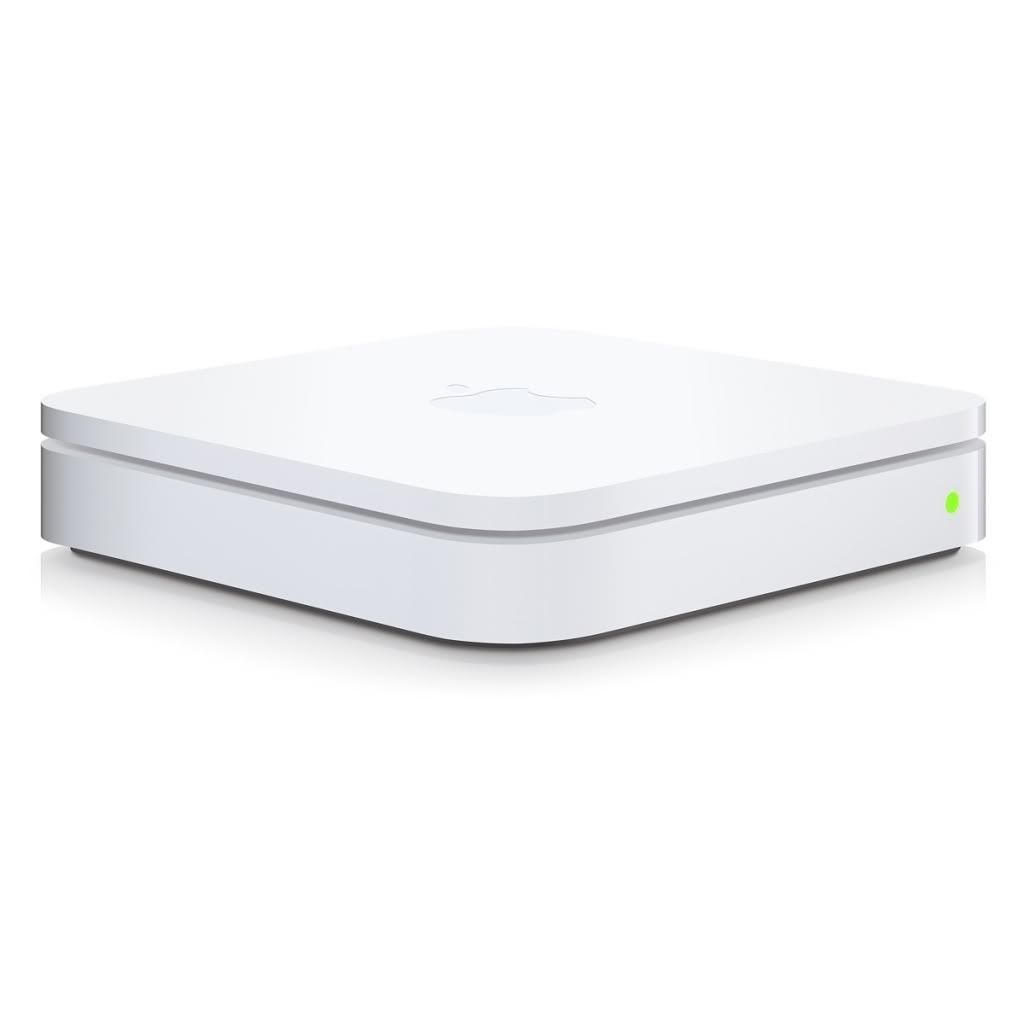
New Airport Extreme Crashes Wireless Tiger Clients

I've spent most of Christmas Day trying to figure a way out of this mess. I even downgraded my old Powerbook G4 to Panther, only to discover that it--initially--had no support for WPA security (doing the normal upgrades to it now via Ethernet). Not sure why it seems that every time I buy a new piece of Apple gear, it doesn't cooperate very well with older Apple gear. I understand that time moves on (and Apple wants us to as well), but one expects things like basic wireless in a working Mac to continue working with newer Apple wireless routers. But no.

I initially thought the problem might be my new WDS setup, but that's not the case. The kernel panics persisted, whether I disengaged WDS or not.

The Airport Extreme Base Station in its current firmware incarnation (7.5) causes kernel panics on ALL wireless clients running Tiger 10.4.11. This is confirmed by multiple users on the Apple Support Boards:

My Apple Tech confirmed (early November) that there is a known problem with the new Airport Extreme Dual Band Base Station causing kernel panics on computers running Tiger (only when connecting wirelessly via an Airport card -- not when connected via Ethernet cable). Apple Engineering has been notified and has not -- as yet -- released a software update to Tiger. Based on some customers' reports, we tried disabling the Guest Network on the base station, but that didn't work for me. Has anyone figured out a work-around besides 1) the ethernet cable and 2) upgrading to Leopard?

[From Apple - Support - Discussions - Kernel Panic when Running Tiger ...]
One user managed to get Apple to send him a Leopard install to address the issue:

Here's my experience. Ran two iMacs with Tiger 10.4.11 and a new iMac Intel Core Duo with an Airport 801.g Extreme. Alls well. I upgraded to an Airport 801.n and all **** broke loose with Unresolved Kernel Traps (UKT) on both Tiger machines. I managed to obtain Leopard from Apple and will upgrade each Tiger machine a couple of days apart to be sure I don't have any more UKTs. Then I will reinstall the Airport 801.n and see what happens. If I can believe what Apple Support has told me my problems should be solved. I should know by end of this coming weekend.

[From Apple - Support - Discussions - Kernel Panic when Running Tiger ...]

So I put in a service call to Apple and spoke with a rep today; the rep didn't offer a Leopard install like they did for the other user, and they didn't even admit that there was a known problem:

No dice. Just got off the phone with Apple and their solution for me was to go into the Apple Store. He said it was a computer issue...not the AEBS. I even brought up this thread (i.e., Tiger incompatible with new AEBS) and that other users said that Apple had acknowledged this problem. He said he had not heard that and that it was my computer?

Keep in mind that I told him that both my G4 machines are running Tiger (Powerbook and Mac Mini) and both are kernel panicking with the new AEBS.

So, I obviously didn't get the good support that you received...

[From Apple - Support - Discussions - Kernel Panic when Running Tiger ...]

I've basically tried everything (including doing Leopard installs using Target Disk mode), and nothing is really working (the G4 versus Intel architecture creates problems--i.e., the GUID versus APM). I either must get a Leopard Retail disc from Apple or wait for them to officially acknowledge the problem and issue a firmware update. Arggggghhh! My Powerbook is now running 10.3.9 (Panther) after the updates and is doing fine on the new AEBS, so this PROVES it's Tiger that is not compatible with the new Airport Extreme Base Station (802.11n). The Mac Mini is dead in the water at the moment in terms of wireless connectivity (I have the Airport turned off...and no more panics). I have ordered some cheap Cat-5 cable, which should be here soon and keep the Mini running until the firmware update shows up. Apple, your users really shouldn't have to go through such nonsense.

FOLLOW-UP on 26 DEC 2009:

As a follow-up, my issues were solved by installing Leopard on my G4 machines, which was not easy. See my post below on the Apple Discussions thread:

I can confirm now--as have others here--that it is definitely the Airport Extreme Base Station (802.11n) that is causing the kernel panic problem with Tiger. It will also not cooperate with Panther 10.3.9, IF you install the AirPort Extreme Driver Update 2005-001 update:

http://support.apple.com/kb/DL426

I downgraded my Powerbook G4 Aluminum 15" to Panther and had it working well at 10.3.9 until I installed the above driver update, so this driver (or some code within it) is the culprit; obviously, it hung around in Tiger but changed in Leopard and Snow Leopard (hint, hint, Apple).

I have now managed to update my old G4s (through much effort) to Leopard and both are cooperating nicely now with the Airport Extreme Base Station. I suspect Apple will update the driver eventually, but if you're having issues...go back to Panther (w/o the aforementioned driver update) or upgrade to Leopard if your system will install/run it.

FWIW, I installed Leopard on my old G4 Mac Mini (with 512 MB RAM) using Target Disc mode from the Powerbook running the install DVD. Leopard would not install any other way on that machine. Good luck all!

[From Apple - Support - Discussions - Re: Kernel Panic when Running Tiger ...]

Monday, December 21, 2009

Apple Aluminum Keyboard Low Power Warning

If your Aluminum Apple keyboard suddenly tells you it can't power a USB device anymore (that it once did power without issues -- WTF Apple?!?), try unplugging the keyboard for 30 seconds and then replugging it. My SD card reader works again after doing that, though the LED no longer lights up. My Logitech camera (that once worked plugged into the keyboard) seems to not work anymore. I wonder if this was a change from Leopard to Snow Leopard?

Apple makes great stuff, but they'll just randomly change things sometimes, seemingly unconcerned with the problems those changes will cause to their uses. Rakin' frakin'...

Just had this problem on my late '07 Alu iMac. never had any bother before, it was always possible to have the wired MM and 5th Gen iPod attached. Today got a low power warning on just the iPod! (wireless MM now)

I unplugged it and reconnected after 20s - was all fine again. How odd.

interested on the power discussions here, the system profiler says the ipod is drawing 500mA thru the keyboard, and the keyboard itself only needs 20mA

[From New Apple keyboard, doesn't sync or charge ipod nano - Page 5 - Mac Forums]

Saturday, December 19, 2009

Using Preview to Merge and Save PDF Documents

Neat trick for Preview! Changed a bit since Leopard.

For Snow Leopard 10.6.0, Apple changed the way this feature works in Preview Version 5.0 (501) and made it more cumbersome. Here’s how it’s done in Snow Leopard:

Open a PDF.

Expose the Sidebar.

Drag the PDFs you want to include in the Sidebar area.

Note B: The PDFs all retain their name in the Sidebar (contrast with Note A).

Select all but one of the PDFs in the Sidebar.

Drag and drop the selection into the unselected PDF recipient.

Note C: You only get one chance at this or you’ll need to start over. You can only drop one set of PDFs onto the recipient.


Note D: After doing so, the recipient icon changes to include a Binding Comb on the left edge. Moving the arrow cursor over the combined PDF exposes a circle-left-turn arrow on the right edge.


Save or Save As the PDF. VoilĂ  – one PDF.

[From Snow Leopard Changes Preview’s “Combine PDF” Behavior « blog.gerrior.com]

Sunday, September 20, 2009

Post-SL: Use Your Contextual Menus Again

One unfortunate consequence of upgrading to Snow Leopard is that Apple tossed contextual menus onto the Abandoned Apple Technology dungheap. Not much help to those of us who've grown dependent--dare I say, addicted--to the use of these right-click wonders. The replacement? A greatly improved Services system that has a contextual component. We'll have to wait for developers to catch up. In the meantime...

Here's one way to keep using your 32-bit CMs, though not a very elegant solution; it's better than nothing.

What is it?

Shortcuts is a Mac OS X application to assign hot keys to contextual menu items. It works only with menu items added by contextual menu plug-ins. Version 2.0 also allows you to display a menu with items added by CM plug-ins.

[From Abracode Shortcuts]

Monday, August 31, 2009

100 Tips, Tricks, and Features of Snow Leopard

Self explanatory. Go there, read, and be happy with your new, fast kitty.

After installing Snow Leopard on our Macs, the Mac|Life staff began scouring the inner crevices of 10.6 looking for all the features we can. While Snow Leopard has been advertised as more of a speed increase and "tightening of screws" of the OS, it still has some great features that'll help you work faster.

After spending the weekend with the new OS, we found 100 features, tips, and tricks that should help get you up to speed and make you a Snow Leopard power user.

[From 100 Snow Leopard Tips, Tricks, and Features | Mac|Life]

Wednesday, August 26, 2009

What Apple's Snow Leopard Has In Store

I'll be going for it once I know my recording gear and software will behave with this kitty.

Here’s a look at how three of these additions to Snow Leopard—64-bit computing, Grand Central Dispatch, and OpenCL—work and how they could improve your Mac experience sometime soon.

[From Inside Snow Leopard's under-the-hood additions | Mac OS X | Macworld]

And then, the smaller stuff...which in some ways is more exciting than the major stuff:

[From Snow Leopard's smaller changes | Mac OS X | Macworld]