Showing posts with label safari. Show all posts

Wednesday, May 09, 2012

YouTube5 Extension Trouble

This fixed my issue with the YouTube5 Safari extension! Thanks!

If you’re having trouble with youtube playing with the youtube html5 player please try going to http://www.youtube.com/html5 and opting out of the youtube html5 test.

[From Vertical Forest :: YouTube5]

Saturday, January 02, 2010

Make Web Clips in Safari for Dashboard

Here's a neat little trick that I haven't used much!

Leopard makes it easy to create a Dashboard widget from a segment of a web page. For example, you can capture a “new releases” list from a media website, or the “latest posts” field from an Internet discussion group. These Web Clips appear, automatically updated, whenever you open Dashboard.

[From Apple - Pro - Tips - Creating Web Clip Widgets]

Sunday, May 11, 2008

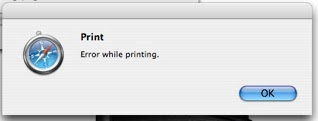
Safari 3.1.1. - "Error while printing"

Here's a weird one. Under one account on my Powerbook, I suddenly can no longer print from Safari (3.1.1.) via Bonjour (i.e., a shared printer on another Mac). Other applications work fine, and other accounts can print from Safari.

Console consistently looked like this:

2008-05-11 10:22:09.602 Safari[1609] PMSessionValidatePrintSettings failed (error code = -50)
2008-05-11 10:22:09.672 Safari[1609] PMSessionEndDocumentNoDialog failed (error code = -30871)
2008-05-11 10:22:11.243 Safari[1609] Failed to end PMPrintContext

Here are the solutions I tried that were ineffective:

The culprit?

Little Snitch...it had been accidentally set to block Safari connections.

Sunday, May 04, 2008

Safari 3.x and PithHelmet

First, if you can't even install PithHelmet (because your Safari isn't recognized), use Pacifist to get the PithHelmet.bundle onto your desktop. It's a SIMBL plug, so make the following directory (if not already there) and place this plugin within it:

/Library/Application Support/SIMBL/Plugins/PithHelmet.bundle

If you're using a newer Safari with an older OS (Tiger), here's how to use PithHelmet:

  • In Safari, select File>About Safari.
  • Note the version/build number in parentheses, i.e., (4525.18).
  • Quit Safari.
  • Navigate to /Library/Application Support/SIMBL/Plugins/PithHelmet.bundle.
  • Control click to show package contents.
  • Open bundle and go to Contents.
  • Double click or open info.plist in your favorite text editor.hange MaxBundleVersion to the current Safari version. This is to match the current Safari version/build.

It will then look like this:

<key>MaxBundleVersion</key>

<string>4525.18</string>

Save and relaunch Safari.

Original instructions: Mind Mining Medium; Safari 3.1 and Pith Helmet

Saturday, December 01, 2007

Mac your PC? And they hate us "fanboys"?

More proof that all PC users secretly want to be Mac users, no matter how hard they come down on us "fanboys":

Mock OS X: Five ways to make your PC more like a Mac - Crave at CNET.co.uk:

Oh, and before anybody throws their Start menu out of the pram, the best way to have Mac functions is obviously to buy a Mac. But it's not that simple for roughly 90 per cent of the working population, chained to ancient HP WageSlave 486s in strip-lit spreadsheet farms across the world. For them, this article is a ray of hope. And we're sure there are plenty of people out there who are perfectly happy with Windows, but even they could benefit from the nifty features we have lined up.

PC User Compares Leopard to Vista

Leopard is the New Vista, and It's Pissing Me Off:

Pcm 15 Header Surprise, surprise! A PC Magazine columnist, who claims to worship OS X 10.4 (Tiger), is more or less calling Leopard OS X 10.5 unfit for release in much the same way Vista was unfit (and is still unadopted by the PC faithful).

Let's break this idiot's diatribe apart piece-by-piece, shall we?

Let's see, Tiger crashed—oh yeah, NEVER. Ten months and I'm installing everything from production-level Office for the Mac 2004 to 0.x releases of VLC, Seashore, and Ecto—even betas of Firefox and Parallels. Whatever my nerdy little heart desires. I've had those early apps crash, but Tiger never faltered.
First of all, BS! All OS's crash, though I proclaim that OS X is typically more stable than Windows, regardless of the version. I guarantee you that Tiger version 10.4.0 crashed MORE than version 10.4.5, and so on. Now the latest version of Tiger (10.4.11) has some quirks that tick me off in a few included apps (like making me use Safari 3.x, for example), but what we're seeing here from this guy is a little overstated.

The first version of anything is going to have bugs. All developers rely on the cutting-edge crowd to find the junk in their code that they have been unable to find. Basically, if you buy and install the first version of anything, you're paying to be a beta tester, whether you like it or not!

Later on, the goon states:

A month of using Leopard with the same software I had under Tiger and the OS has dumped six times. That's six cold reboots for Oliver. Apple isn't even honest enough to admit that Leopard is crashing: The OS just grays out my desktop and pops up a dialog box telling me I've got to reboot. Like the whole thing is my fault. I even snapped a picture of it. After all, I HAD PLENTY OF CHANCES! And all my complaints, mirrored by online forum traffic, are the same complaints I heard about Vista when it first reared its unbaked head.
Next lesson for this noob. Developers of software for a particular OS MUST CATCH UP WITH THE LATEST OS RELEASE! If they don't, IT'S NOT APPLE'S FAULT! Hello, are you listening, Oliver? Every time I've upgraded to a new version of OS X, apps that once worked on the previous version have occasionally had problems. I either must wait until the developer fixes the app to work with the new OS version, or I MUST CHOOSE NOT TO UPGRADE UNTIL ALL THE APPS I USE ARE COMPATIBLE. These are all simple, elementary things that every savvy computer user knows. PC Mag...I'm available if you need a writer with a brain who uses a Mac.

Sunday, September 30, 2007

Adobe makes me mad: disable Adobe plugin

When installing Adobe Reader on your Mac, you also inadvertently install the plugin inside Safari that takes forever to open a pdf. To get rid of it, just delete their damn plugin at:

/Library/Internet Plug-Ins/AdobePDFViewer.plugin

MCLD blog: How to disable Adobe Reader Safari plugin

Monday, November 13, 2006

Password Autocomplete Always On!

It's really quite annoying that some web sites circumvent Safari's integrated (very secure) access to encrypted keychains. What I'm specifically referring to is the tactic of preventing your browser from remembering web site login information and entering it the next time for you automatically, provided the keychain itself is unlocked.

It makes sense not to store your login information for banking and credit card sites, but even this doesn't really make much sense if you're a Mac user and enjoy the encrypted goodness of your keychain using Keychain Access--which lets you access tons of password and other critical information with ONE password.

However, certain sites, such as Yahoo, shouldn't have this ridiculous block. It's frustrating and annoying.

There is a way around it in most cases, though I have one particular site I visit that is extremely annoying (http://nextcat.com - is a social networking site) in its method of preventing one from storing login information. All the work-arounds I've looked at so far are ineffective for this site, so they must be using another method of blocking.

Autocomplete Always On! is a little Applescript application that will do some hacking for you of the Webcore engine, allowing you to store login information for MOST sites (except sites like Nextcat). You can handle this hack yourself using the instructions here, but I chose to use the AAO app above. Make sure you back up your Webcore too with the Applescript, just in case (you won't really need to, but I'm a worry-wart).

There are some other methods for doing this, using a Python script run through Pith Helmet's Machete function. One must remember to save the script as a plain text file with the ".py" extension and then make it executable, which can be done simply through the Terminal using instructions here.

But the method described earlier using the AAO Applescript seemed like a quick, global fix for my personal situation.

Friday, October 06, 2006

Tuesday, September 26, 2006

inessential.com: Flash Crash? WebKit Crash? Both?

inessential.com: Flash Crash? WebKit Crash? Both?:

"2   ...romedia.Flash Player.plugin  
0x06b14140 Flash_EnforceLocalSecurity + 47880"

I've had recurring Safari crashes that are quite annoying. Most of them appear related to the Flash Player plug (both version 8 and 9 for OS X); they all appear similar to the crash report line above.

Apparently, it's a bug in Webkit, FLash, or some synergistic malfunction. Safari crashes about 5 or more times a day. And it's weird, because though it says it has crashed I still have to force quit Safari.

Friday, September 15, 2006

Quickly set "Always Open With"

Macworld: Mac OS X Hints: Quickly set Always Open With app:

"Proceed as if you were going to open the document using the contextual menu, but don’t select Open With just yet. Instead, press and hold the Option key down. Just as with the top-level menus, holding down the Option key reveals choices that aren’t normally visible. In this case, Open With changes to read Always Open With. So that’s it—select Always Open With, scroll down to find the application you’d like to use, and release the mouse. Bingo! You’ve now set the Always Open With application for the selected document (or documents, if you highlight more than one)."