Showing posts with label memory. Show all posts

Wednesday, November 05, 2008

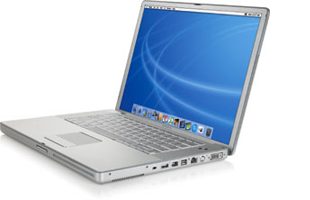
Powerbook Memory Slot Suit

It has finally happened! Please see my previous posts here and here on this exact problem and Apple's lack of assistance. I'm jumping onboard this lawsuit as soon as it gets class-action status. Why doesn't Apple just fix crap that they screw up? Seems like it would be a lot cheaper.

Apple faces lawsuit over defective PowerBooks | Macworld:

Editor’s Note: This story is excerpted from Computerworld. For more Mac coverage, visit Computerworld’s Macintosh Knowledge Center.

A New York man has sued Apple in federal court over flaws in the PowerBook G4 and has asked the judge to grant the case class-action status.

In a lawsuit filed last week in federal court in San Jose, Calif.,, Giorgio Gomelsky accused Apple of refusing to repair his PowerBook G4 notebook, which he said has a defective memory slot that has prevented him from adding more memory to speed up the system.

Apple’s refusal, Gomelsky charged, was particularly galling because the company had previously acknowledged problems with PowerBook G4 memory slots and had set up a free-of-charge repair program for a limited number of systems.


Sunday, June 01, 2008

Apple censors can't stop me

PowerbookConcerning my recent post on the Powerbook G4 lower RAM slot failure issue, I made a post on Apple Discussions that was promptly taken down. So I’ll just post the email I received from the gracious Apple Host (along with my original post) here for all to see:

Apple removed your post on Apple Discussions, titled “Re: logic board died after being replaced 2 years ago,” because it contained the following:

* Discussion of Apple Policies, Procedures or Decisions
* Polls or Petitions
* Non-constructive rants or complaints

We are including a copy of your post at the end of this email for your reference.

Our terms of use, which include helpful information about using Apple Discussions, is located here: http://discussions.apple.com/help.jspa We encourage you to continue using the Apple Discussions while abiding by our terms of use.

Kind regards,

Apple Discussions staff

++++++++++

A copy of your message for reference:


My Powerbook G4 1.5 GHz 15” (1 GB RAM) also recently developed the lower RAM slot failure. Our PB had slowed to a crawl, so I popped open System Profiler and noticed that half my RAM was missing (lower slot showed EMPTY). I thought it was the memory, so I bought another stick and tried it in both slots—the lower slot continued to show EMPTY, while the upper slot was OK.

My problem is that my PB’s serial number DOES NOT FALL within the arbitrary range selected by Apple for the Repair Extension Program. I spent an hour yesterday on the phone with Apple Tech Support, and they want me to take it to the Apple Store here in San Antonio to be checked out. Of course, they will discover (like me) that the lower slot is bad, and then they will tell me what the person at Apple told me on the phone—I’ll HAVE TO PAY TO FIX IT BECAUSE IT’S NOT IN THE SERIAL NUMBER RANGE SELECTED BY APPLE FOR THE REPAIR EXTENSION PROGRAM

I have found many examples via Google of Apple customers in my exact predicament—lower slot failure with Powerbooks outside of that serial number range. Seems to me that Apple has a bigger problem than they want to admit, so let the class actions begin. One way or another, Apple will have to own up to this considerable problem.

Recommend others searching here and having my problem snoop around via Google and sign the petition and the class action that’s being started.

Wednesday, November 08, 2006

Applejack: Getting New Features

Applejack, the command line troubleshooting utility for Mac OS X, is undergoing prerelease testing now for version 1.4.3rc3, which adds a new experimental expert mode. From the read me:
+ Experimental expert mode exists, but is currently hidden until it can be tested further. (see Appendix B). The only well-tested options at this point are the memory test using the included Memtest utility, and the option to disable auto login.
This is great, because among other neat features, it adds the memtest utility as well, which will save you the $1 download charge from its developer.

Memtest and Applejack are must-have utilities, IMHO. Memtest saved my butt on bad memory (via the GUI version in the form of rembr), whereas Tech Tool Pro told me my memory was fine. Wrong! Changed it out and my numerous problems went bye-bye!

Wednesday, October 18, 2006

Memory = the source of many problems!


For the last several months, I had numerous problems with my old G4 AGP dual 1.2, which has been as upgraded just about as far as it can go. The problems included recurrent program crashes (especially Safari) and random kernel panics.

I used a little utility called Rember and discovered that a few memory sticks I had were bad. Tech Tool Pro (grumble, grumble) did not catch these errors, so if you think you're having memory issues, please run another utility (apparently, the hardware test disc Apple ships with newer Macs can catch these problems too). You can also run Memtest (which is really the command-line basis of Rember); the author charges $1 to download it (very reasonable given that you can boot in single-user to test MOST of your RAM).

In my case, Memtest wasn't necessary. Rember caught the defective RAM right away, and I narrowed it down to 2 sticks by pulling them one at a time, restarting, and testing with Rember until the errors were gone.

I had 2 bad DIMMs--one at 128 MB and another at 512 MB. So I ordered 2 new 512 MB sticks from OWC (with lifetime warranty). The new memory checked out fine with Rember, and I've had no kernel panics or other major issues since installing it. The old Mac is rock-solid!

Now, how did this happen? I think a Tiger update somewhere down the line didn't agree with those two older RAM sticks. The lesson is to suspect bad RAM (or other hardware) if you're having weird crashes and random panics suddenly.

Tuesday, September 26, 2006

ATPM 11.08 - How To: Is Your Memory Failing?

ATPM 11.08 - How To: Is Your Memory Failing?:

Great information on testing your Mac's memory in single-user mode. Memory failure is a common kernel panic problem.

Here's another great link on the same subject at Macworld:

http://www.macworld.com/2006/02/features/speedmemory/index.php